

FMTC News
New Look for Program Manager Accounts
March 26, 2019


Originally published March 2022 • Updated March 2026
If you’re building an affiliate site, app, or internal tool, having access to clean, up-to-date merchant logos is essential. The FMTC get-logos API allows developers and affiliates to programmatically retrieve merchant logos and screenshots for use across digital experiences.
In this guide, we’ll walk through how the getLogos API works, what data it returns, and how to start using it effectively.
The get-logos API is part of FMTC’s tools designed to help affiliates and partners access high-quality merchant assets. You must be an FMTC subscriber to optain this API.
With this endpoint, you can:
The output from the get-logos API call will be a zipped file containing the requested logos and screenshots. Logo files will be named with the FMTC Merchant ID.
The API returns structured data that includes:
View the Logos API documentation here.
To get started, you’ll need access to the FMTC API and your credentials.
A typical request includes:
Once submitted, the API returns a response containing logo and screenshot data that can be rendered directly in your application.
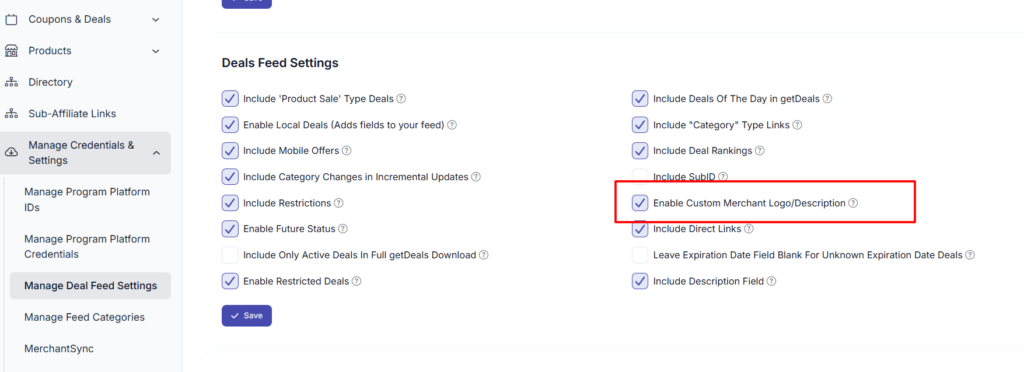
As a subscriber, you can add custom logos of any size. You can enable this feature by navigating to the Feed Settings and selecting the “Enable Custom Merchant Logo/Description” option.
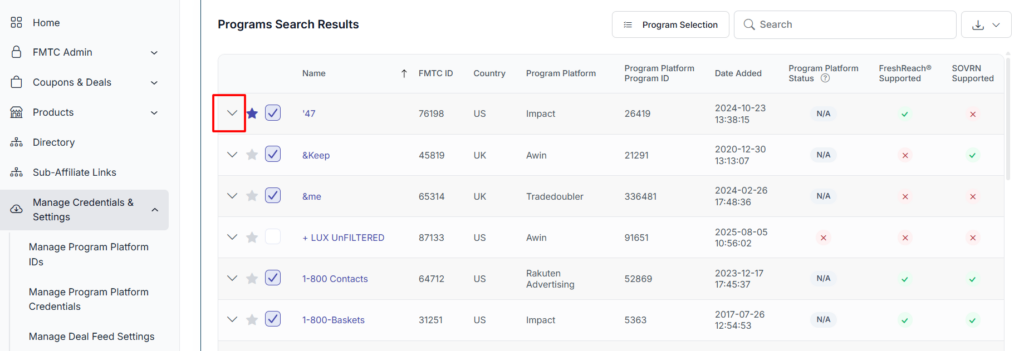
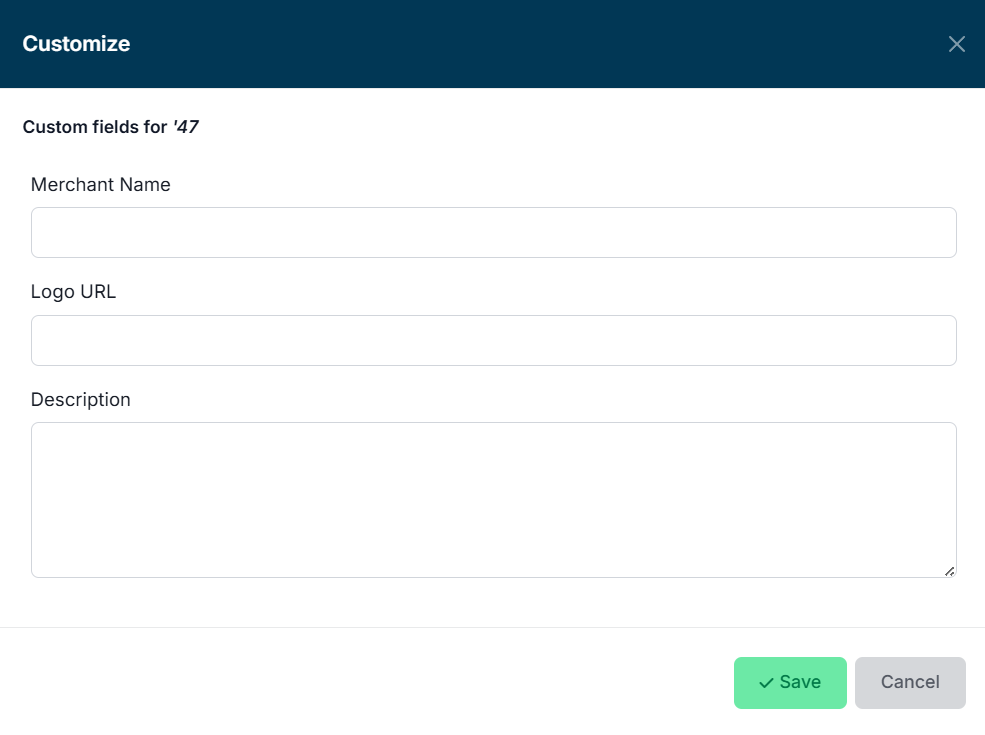
Once you enable this feature, you can add a custom logo URL on the Manage Deal Programs page.
Ready to start integrating merchant logos into your platform?
FMTC makes it easy to access high-quality affiliate data, logos, and APIs—all in one place.
👉 Get started today: https://www.fmtc.co/getstarted/
As always, our team is ready to help you! If you have any questions or concerns, feel free to reach out to your account manager or send us an email at [email protected]. Curious about other FMTC API endpoints? Feel free to read the following: